Hiding and Showing Employees
If the "Hide" option is activated for an employee, they can be found again using the search function.
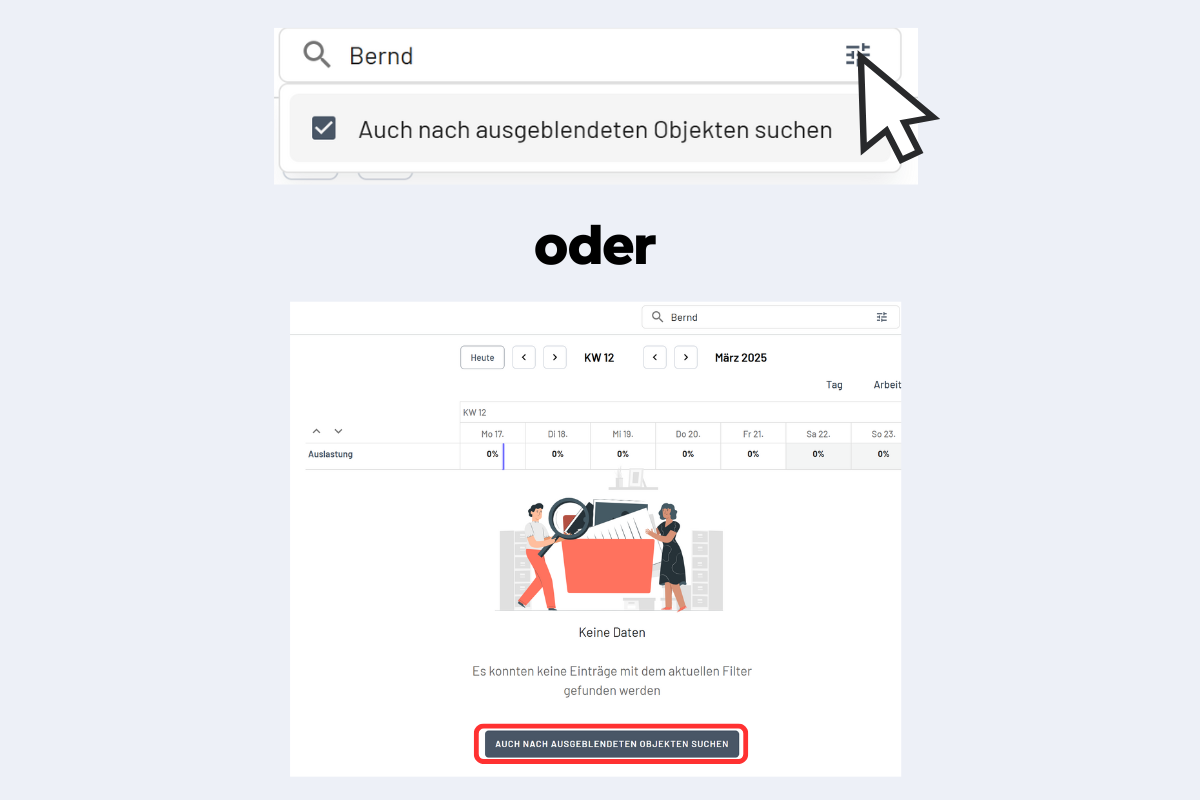
To do this, either click on the three lines on the right side of the search bar and select the option "Also search for hidden objects" or directly use the button "Also search for hidden objects", which appears as soon as no result is found in the regular search (see Fig. Search for hidden objects).
To show a hidden employee again, proceed as follows:
- Find the employee in the list of hidden objects.
- Click on the name of the hidden employee.
- Deactivate the "Hide" option.
- Save the change.
The employee is now visible again to all users and reappears in the employee overview.