Branch settings
Use settings to store the company's basic data.
- Only users with extended rights (level 3/4) can edit these settings. See also /docs/Grundlagen/benutzerrollen-und-berechtigungen.
Working hours
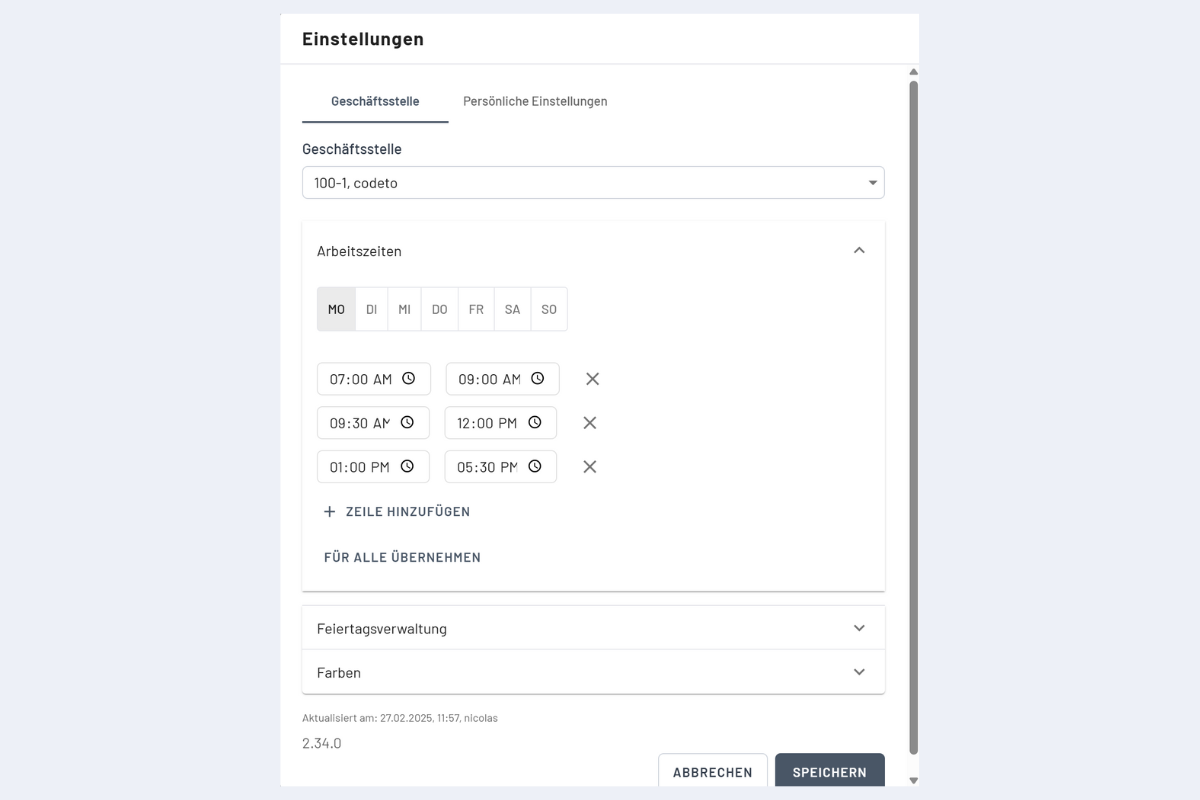
Define standard working hours for the company (see Fig. Working hours settings). When a dispatch is created, these times are scheduled automatically and breaks are respected.
Do this before creating the first dispatches: working hours apply only to future dispatches, not retroactively.
Recommendation: do not set standard hours on weekends. This keeps capacity calculations correct; weekends stay work-free unless you add explicit dispatches.
Calendar
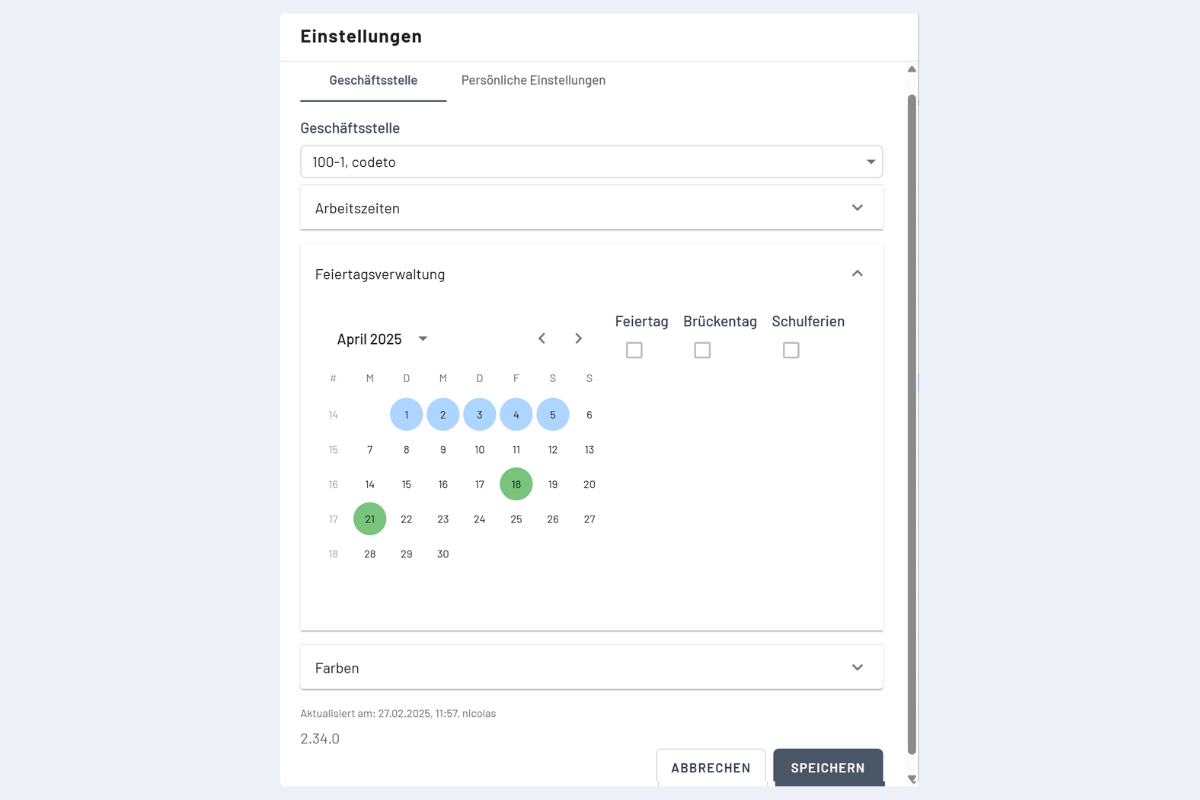
Add public holidays, bridge days, and school holidays (see Fig. Holidays & school holidays settings). Holidays and bridge days are treated like weekends (work-free). A booking across such a day is not scheduled by default. If work is needed, add a separate booking for that day.
Select multiple days: choose a start date, then
- with CTRL mark individual extra days, or
- with SHIFT select a continuous range to the end date.
Then tick Schulferien.
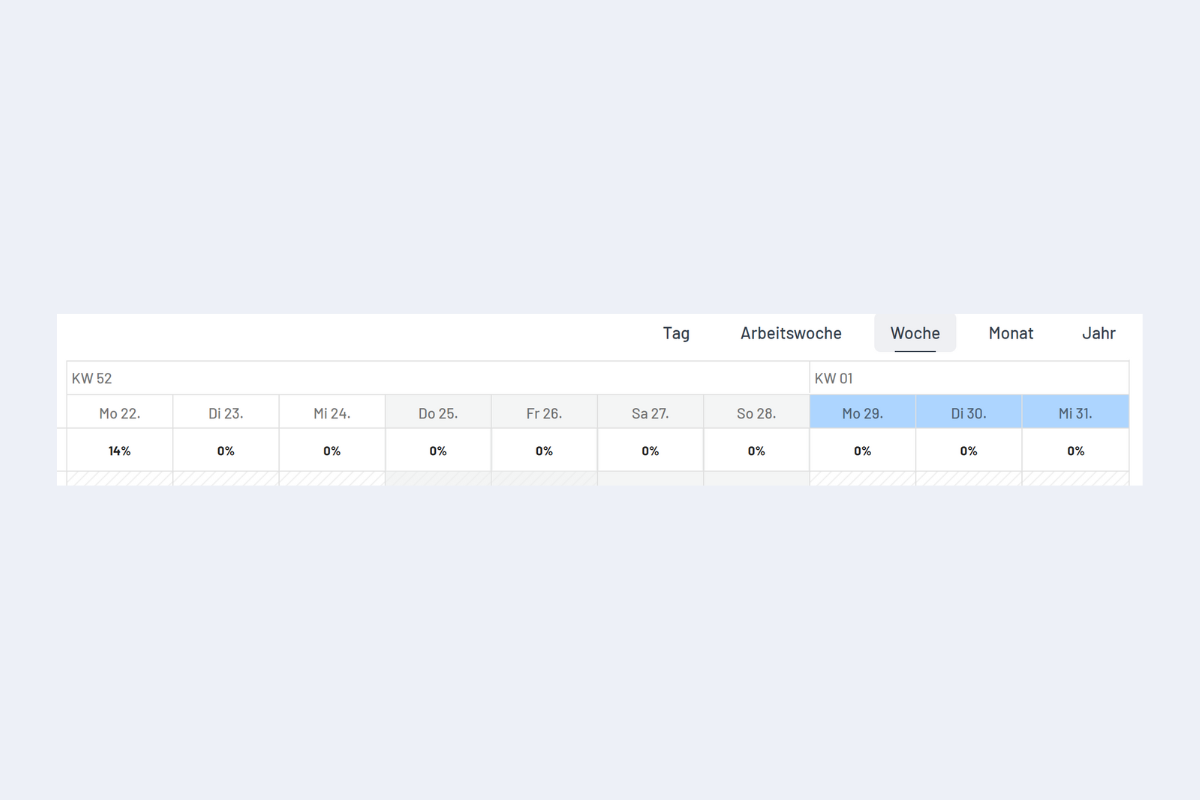
Holidays and bridge days are highlighted in grey and are not booked by default. School holidays appear in blue in the date row for visibility but are booked normally.
Colors
Define a default color for all projects, service orders, and info bookings. You can override the color when creating a project or service if needed.