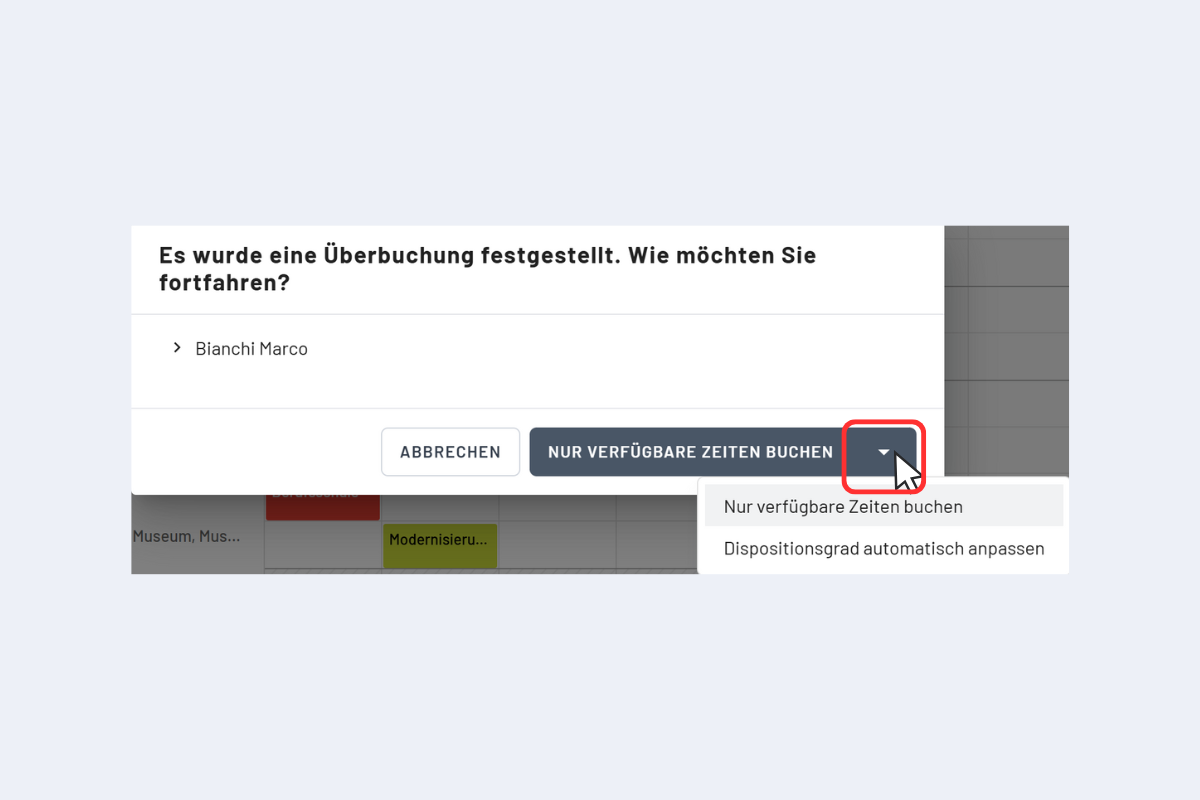
Double Bookings Detected
A new disposition can also be entered over an existing one. planr detects an overbooking and asks if only the free times should be booked (see Fig. Double Booking Detected).
This option takes the utilization level into account: Bookings are added in such a way that the daily 100% capacity limit is not exceeded, even if the day is already partially occupied by other bookings with a corresponding utilization level.
Example: An apprentice has entered a school day on Wednesday, the other days of this week are free. They can be booked for the entire week on a project. planr detects an overbooking on Wednesday, indicates the corresponding calendar week, date, and time, and asks if only the free times should be booked. If confirmed, Monday, Tuesday, Thursday, and Friday are booked for the project. Wednesday remains untouched, as planr does not allow double bookings.
Entering a disposition over an existing one also works in the project and service view.
- Employees marked in green are fully available during the selected time.
- Employees not marked in green can also be scheduled. In this case too, the overbooking is detected and there is the option to book only the available times.
The arrow to the right of the "Book only available times" button (see Fig. Double Booking Detected) opens the additional option "Adjust utilization rate automatically". With this function, the utilization rate automatically adjusts to the number of dispositions in the period of the double booking.
In most cases, a booking already exists to which another is added. The capacity is divided accordingly – if a booking with 100% existed before, the utilization rate for both bookings is now automatically 50%.